


CarLink - Car Play Connect
4.5186.00 Reviews
App Specs
- Version
- 1.3.1
- Updated On
- License
- Free
- Downloads
- 1,000,000+
- Developer
- CoolDev Co Ltd
- Categories
- Auto & Vehicles
- Platform
- Android, iOS
Screenshots
 Analysis by AppCompare
I approach a phone-to-car app with one practical question: does it make a familiar drive easier without turning setup into another task? CarLink: MirrorLink & Car Play is aimed at connecting a phone with a vehicle for things such as navigation, music, and calls. That makes it most relevant when you want to bring parts of your phone experience to the dashboard, rather than replace your car’s existing system or spend a trip handling the phone directly.
It is a free Auto & Vehicles app from CoolDev Co Ltd, with optional in-app purchases listed from $7.99 to $54.99 per item. It is rated for Everyone, and its average is 4.3 from around 12,000 ratings. Those figures suggest that plenty of drivers have tried it, but I would still judge it by whether it fits your own phone, car, and routine. The key first step is checking that your vehicle and phone can work with the connection method you intend to use; an app alone cannot make an incompatible dashboard support a phone connection.
Before you set off: check the handoff
The useful starting condition is a car screen that can accept a phone connection and a phone ready to provide the apps and services you want to use. CarLink’s appeal depends on that handoff working cleanly. Before a long trip, I would try the connection while parked, confirm that the dashboard recognizes the phone, and make sure the controls I expect to use are available there. That small test is more helpful than discovering a mismatch when I am already late and trying to leave.
For a familiar commute, the payoff is less about novelty than reducing little bits of friction. If I normally pick a route, start audio, and then connect the phone, bringing those choices together at the car screen can make departure feel more orderly. If your vehicle already has a built-in interface that handles those tasks reliably, though, adding another layer may not improve your routine.
Getting Started with CarLink
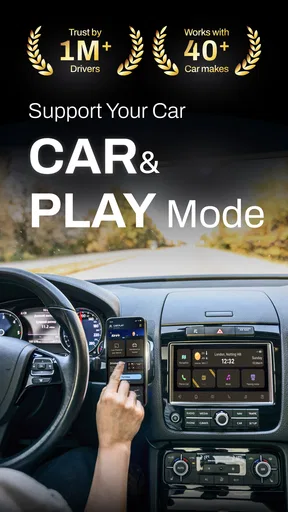
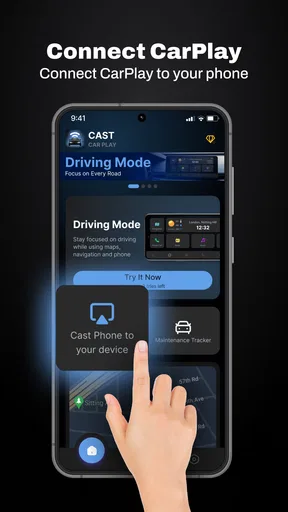
Setting up CarLink: MirrorLink & Car Play was surprisingly straightforward. All you need is a compatible car and smartphone, a USB cable, and of course, the app itself. I downloaded it from the app store, plugged my phone into the car, and voilà, my phone’s interface appeared right on the dashboard screen. It was like magic!
The app supports both Android Auto and Apple CarPlay, which means whether you’re team Android or proudly flaunting that iPhone, CarLink has got you covered. It’s like having your cake and eating it too!
Interface and Usability
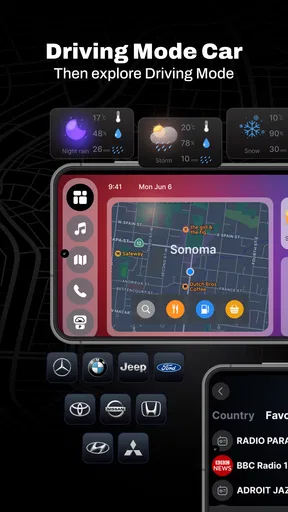
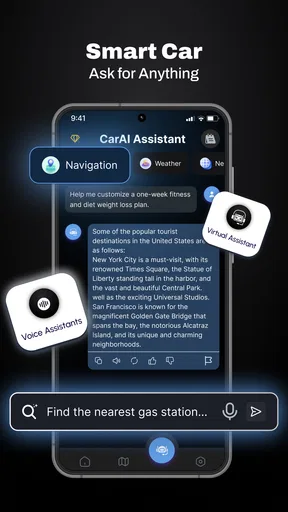
One of the first things I noticed was the sleek interface. The app mirrors your phone's interface onto the car screen, but it also optimizes it for easy access while driving. Icons are large and clear, making it easy to tap even when you’re on the move. And the voice command function? It’s a lifesaver. Just a simple "Hey Siri" or "Okay Google," and you’re set to go without taking your eyes off the road.
Worth Reading Before You Choose

Flipboard Shows What News Apps Must Do Beyond the Feed

Switching to Android Auto Means Rethinking Your Driving Routine

Google Calendar Makes a Crowded Week Easier to Manage

Ludo King Makes the Most of the Minutes Between Plans

Baby Panda World Brings Quick Play to Modern Phones, but Its Game Library Feels Busy

ESPN’s Live Game View Makes Following Close Games Easier
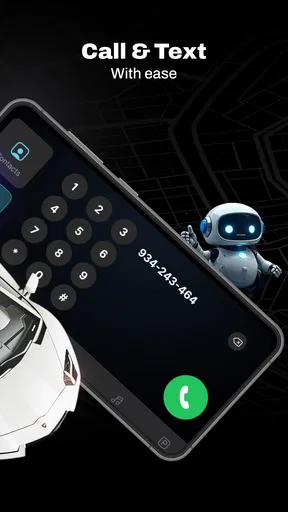
Navigation through the app is intuitive. It feels just like using your phone, but safer and more convenient. Whether you’re making calls, sending texts, or jamming out to your favorite tunes, everything is just a tap away.
Make the trip easier before moving
A better way to use a dashboard connection is to settle the decisions before the car is in motion. I would choose the destination, select the audio, and check that call or message controls are reachable while parked. Once moving, the screen should support the trip rather than invite browsing. Voice control can help with that handoff, but it is not a reason to assume every command will work in every cabin or with every connected service; noisy roads, unfamiliar phrasing, or a phone’s own settings can get in the way.
There is also a useful trade-off between mirroring and keeping the phone in charge of the experience. A dashboard view can make navigation and media easier to glance at, but it does not remove the need to keep attention on the road. I would treat the larger display as a way to reduce reaching for the handset, not as permission to interact freely while driving. If an adjustment takes more than a quick, safe action, waiting until parked is the better choice.
Features That Stand Out
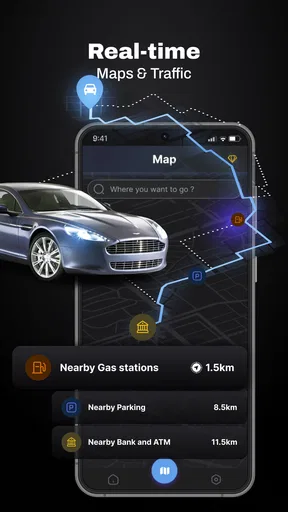
Let’s talk about features. The real game-changers here are the seamless integration with popular apps and services. Google Maps, Spotify, WhatsApp, you name it – they all work perfectly with CarLink. I particularly love the integration with navigation apps. It makes finding the quickest route a breeze, and you can even check out traffic conditions in real-time.
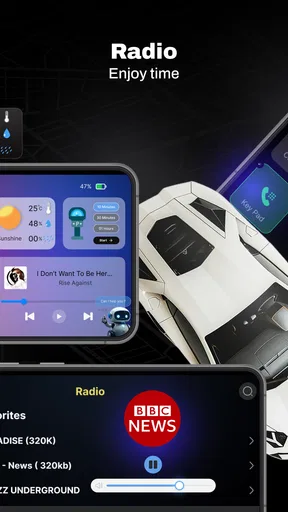
The music streaming feature is another standout. Whether you’re feeling a podcast or your "Driving Playlist," CarLink makes it easy to switch tracks or adjust the volume without distractions. Plus, the sound quality is top-notch, which is always a plus for us audiophiles.
A useful fit for routine drives, not every setup
In a realistic weekday run, I would connect before leaving home, put on a familiar playlist, and set a route to a regular destination. If traffic changes the plan, having navigation in view is more convenient than picking up the phone at a stop. For an occasional unfamiliar trip, the same workflow can help keep directions and audio together. The benefit is strongest when the car screen and phone cooperate consistently; if the connection drops or the dashboard does not expose the controls you need, the convenience quickly disappears.
Compared with using a phone mount, a car connection can put compatible functions on the vehicle’s display and make the interaction feel more integrated. A mount is still the simpler fallback when the car has no suitable screen or connection, and it may be preferable if you already have a stable, familiar phone-based setup. Compared with a manufacturer’s own infotainment features, CarLink is most appealing when you want a phone-led experience; drivers satisfied with their car’s built-in navigation and audio may gain little by adding another step.
I would recommend trying it first on a short, ordinary drive rather than relying on it for an important journey straight away. That gives you a chance to learn how the phone and car hand off navigation, calls, and sound without the pressure of a tight schedule. It also helps answer a practical question: does the connected display actually save effort in your vehicle, or does the existing setup already do the job?
One App, Many Benefits
Using CarLink isn’t just about entertainment; it’s about safety too. By enabling a hands-free experience, it minimizes distractions and keeps your focus where it should be – on the road. I found the voice control feature to be particularly effective. It’s responsive and understands commands well, even when the car is noisy.
There’s also a neat feature for reading out text messages. Instead of glancing at your phone, the app reads messages aloud. It’s like having your own personal assistant riding shotgun!
Where the smooth flow can break
The biggest limitation is the dependency on compatibility: the phone, car, cable, and the connection path all have to cooperate. If the screen stays blank, I would check the basics while parked—try a known-good cable, reconnect the phone, and confirm the vehicle is set to the right input—before assuming the app itself is the problem. This is a practical troubleshooting sequence, not a guarantee; some combinations simply will not provide the experience you want.
It is also worth separating an app’s role from the services it brings together. Navigation, music, calls, and messaging can depend on the phone and the individual services as well as the car connection. A feature that works on the handset may not behave identically on the dashboard. I would test the particular apps I rely on, including spoken directions and call audio, rather than infer that every phone app will transfer neatly.
CarLink is therefore a better fit for drivers who like phone-based navigation and audio and have a compatible car they can test in advance. I would skip it if you do not have a suitable dashboard connection, prefer not to connect your phone at all, or already find your built-in system dependable. The app is free to start, but optional purchases are part of the offer, so I would make sure the basic connection suits my needs before considering any paid item.
What to expect from the app
CarLink is listed at version 1.2.4 and supports Android 8.0 and later. Its release date is July 23, 2024, and it has passed one million installs. Those details make it a widely used, relatively recent option, but they do not settle the most important question for an individual driver: whether the app works with that person’s exact car and phone combination. I would check that in a parked test before building a commute around it.
One question people often have is whether a connection is wireless. The setup described here uses a USB cable, so I would plan around a wired connection rather than expect to leave the phone in a pocket. That can be a plus if you want a predictable plug-in routine or to keep the phone accessible, but it also means cable placement matters. A short cable can tug or sit awkwardly; arranging it before driving is a small detail that makes repeated use less annoying.
Another practical question is whether it replaces Android Auto or Apple CarPlay. I see it as a way to connect a phone and access driving-related functions, not as a reason to assume the underlying phone, car, or platform requirements disappear. If your vehicle already launches its preferred phone interface directly, compare that usual route with CarLink in your own car. The simpler option is usually the one that connects reliably with fewer taps.
Wrapping It Up
To sum it all up, CarLink: MirrorLink & Car Play is a robust app that brings the convenience of your smartphone to your car’s infotainment system. It’s user-friendly, packed with features, and prioritizes safety. The integration with popular apps makes it versatile, while the simple setup means you’ll be ready to hit the road in no time.
So, if you’re in the market for a way to connect your phone to your car, give CarLink a shot. It’s like having a co-pilot who handles all the tech stuff while you enjoy the drive. Happy driving!
Pros
- Seamless integration with most car systems.
- User-friendly interface for easy navigation.
- Supports a wide range of apps and services.
- Regular updates enhance functionality.
- Low battery consumption during use.
Cons
- Limited compatibility with older car models.
- Some features require a stable internet connection.
- Occasional connectivity issues reported.
- Premium features locked behind a paywall.
- Interface may lag on older devices.
FAQs for CarLink - Car Play Connect
What is CarLink: MirrorLink & Car Play used for?
CarLink: MirrorLink & Car Play is designed to seamlessly connect your smartphone to your car’s infotainment system, allowing you to access apps, navigation, music, and other phone features directly from your car’s display. This enhances driving convenience and safety by minimizing the need to handle your phone while driving.
Is CarLink compatible with all vehicles and smartphones?
CarLink is compatible with a wide range of vehicles and smartphones, but not all. It primarily supports cars equipped with MirrorLink or CarPlay technology. Before downloading, it’s advisable to check the compatibility list on the app’s website or within the app store description to ensure it works with your specific vehicle and smartphone model.
How do I install and set up CarLink on my device?
To install CarLink, download the app from the Google Play Store or Apple App Store. Once installed, connect your smartphone to your car using a USB cable or Bluetooth, depending on your car’s specifications. Follow the on-screen instructions within the app to set up and customize your connection preferences for optimal performance.
Does CarLink require a data connection to function?
Yes, CarLink typically requires an active data connection to access certain features such as real-time navigation, streaming services, and app updates. Ensure that your smartphone has a stable data connection or is connected to a Wi-Fi hotspot in your vehicle to utilize all functionalities effectively.
Are there any additional costs associated with using CarLink?
While downloading CarLink might be free or involve a one-time purchase, some features within the app may require in-app purchases or subscription fees. Additionally, data charges may apply based on your mobile carrier’s plan when using data-intensive features like streaming music or maps.


